Designed a gold savings platform that’s now doing 80+ cr annual revenue.
- Role
- Product Designer
- Timeline
- 1.5 Years
- Tools
- FigmaGoogle AnalyticsClaude Code
- Team
- PM: Shanaz, BibhuDeveloper: Vicky, Ankita (5+ Others)
Context
Reliance Jewels, one of India’s largest jewellery brands, owns a gold savings scheme product: Golden Steps. It allows our customers to save at a comfortable pace towards the most trusted form of investment and luxury: Gold Jewellery.
The scheme had a strong value proposition, but the experience was built around the physical store.
Problem
It’s 100% offline.
For a customer to enrol in the gold savings scheme, they have to visit our physical store, fill forms, submit documents and make payments. A process that takes 30+ mins to complete (not counting the time it takes to come to our store).
- Takes time
- Need physical documents
- Store-dependent
The core problem: Golden Steps was a digital opportunity trapped inside an offline process.
Opportunity
People don’t buy jewellery everyday.
Golden Steps creates a reason for customers to return every month, while starting at a lower ticket value of ₹1,000. This gave it the potential to become a strong customer acquisition and retention channel for Reliance Jewels.
Our opportunity was to:
Make onboarding easier and faster
Make instalment payments simple
Build towards redemption
Impact
₹80+ Cr revenue generated through Golden Steps.
The project helped move Golden Steps from a store-dependent process towards a digital experience where customers could discover, enrol, pay and track their scheme with less reliance on the store.
Revenue generated through Golden Steps
₹80+ Cr
Conversion rate
9.7%
Instalment defaulter
< 2%
Monthly active user
4 Lac+
Research
Understanding the offline workflow
We visited Reliance Jewels stores to understand how Golden Steps worked in the real world.
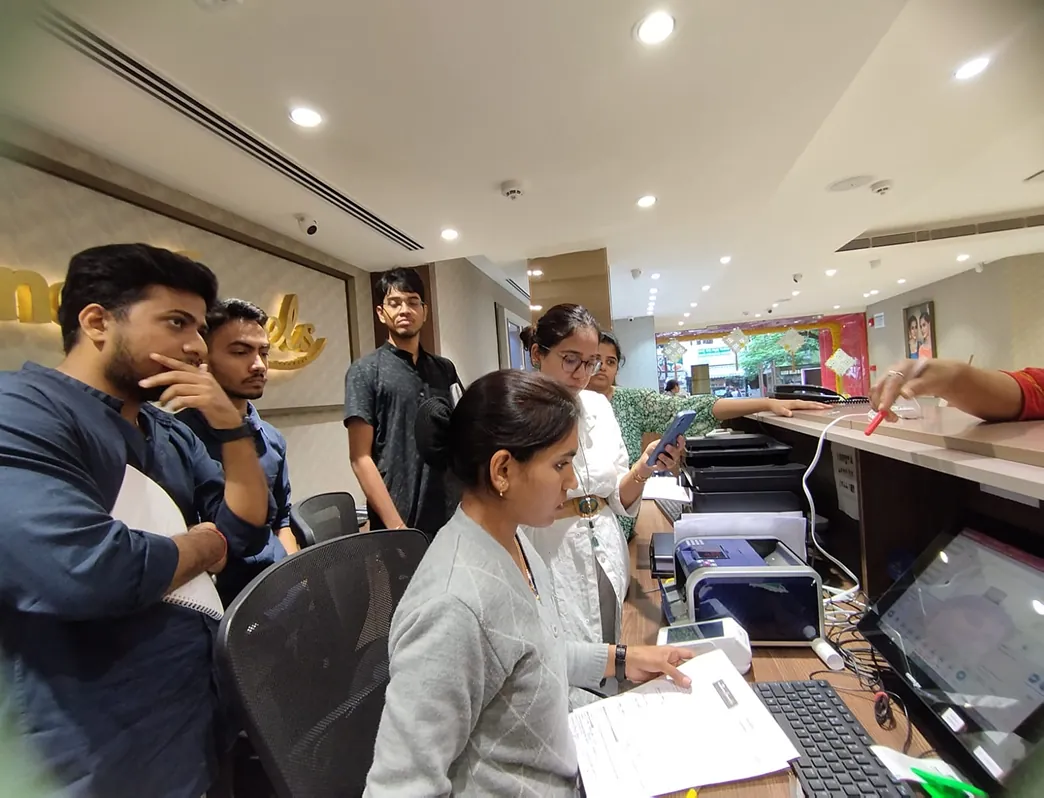
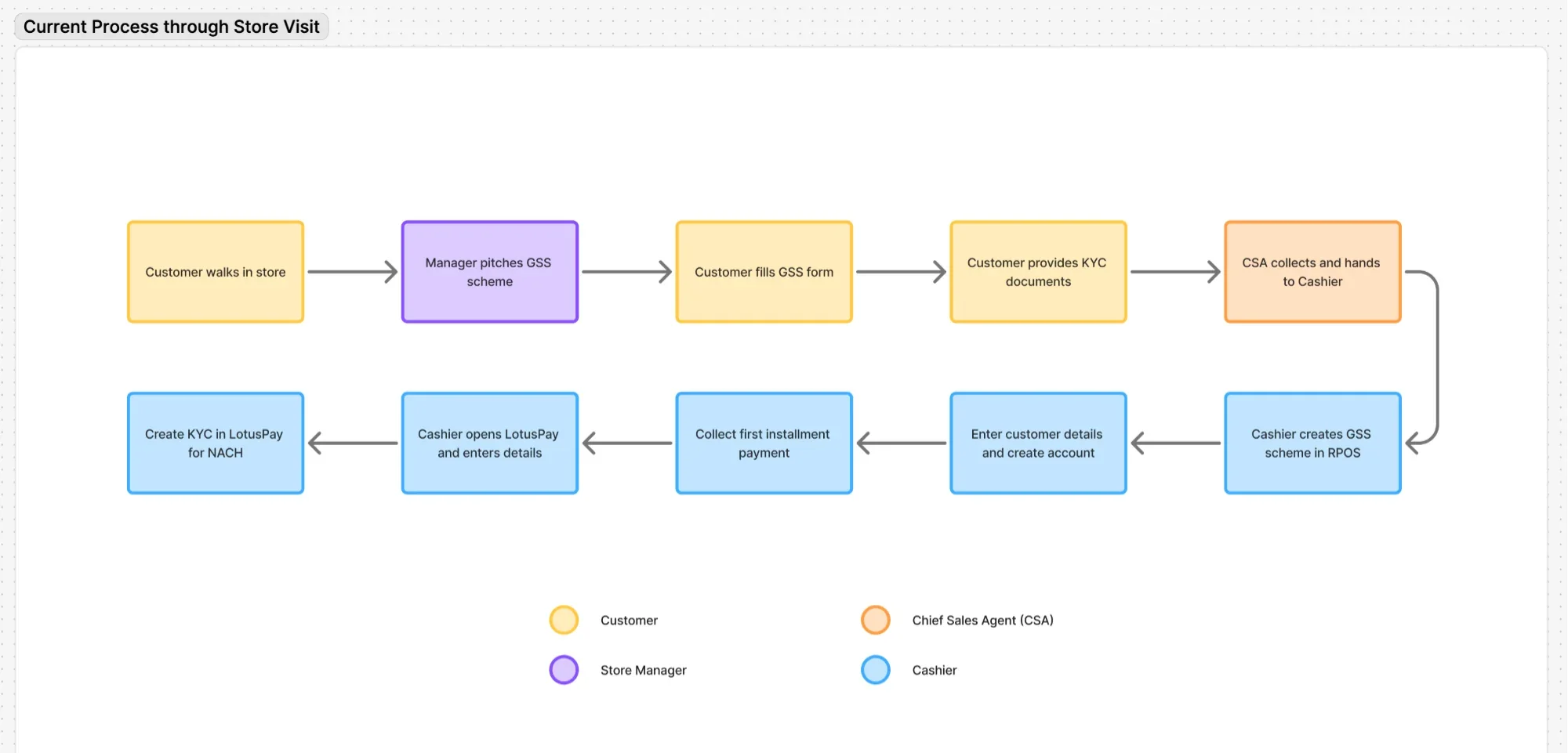
The store was the interface through which customers managed the scheme.
Store staff explained the scheme, helped with payments, solved issues and gave customers confidence that their money was being tracked correctly.
Understanding customer behaviour
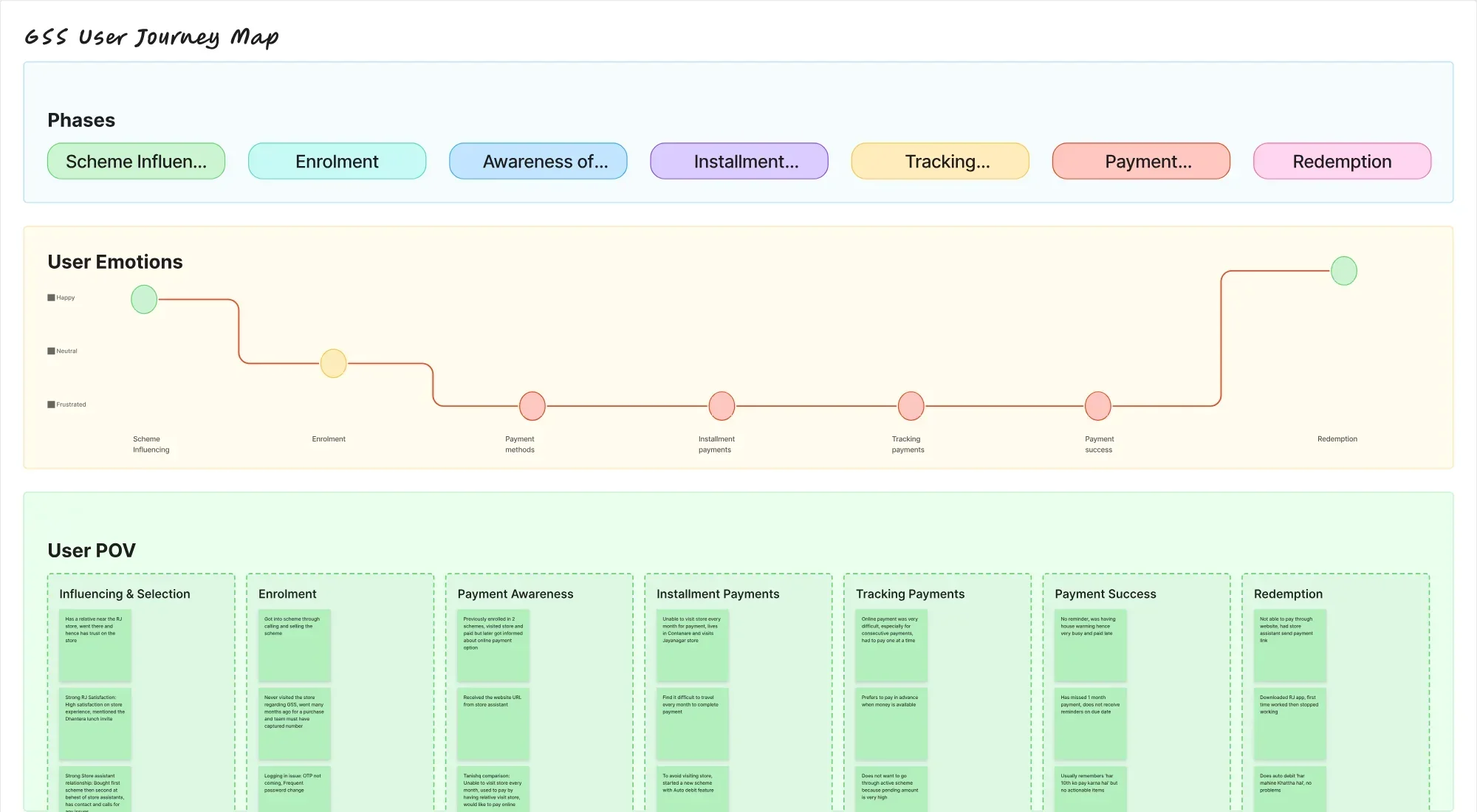
We then conducted internal and external customer research to understand why people enrol in gold savings schemes, how they manage payments and where they face friction.
We looked at both existing users and potential users.
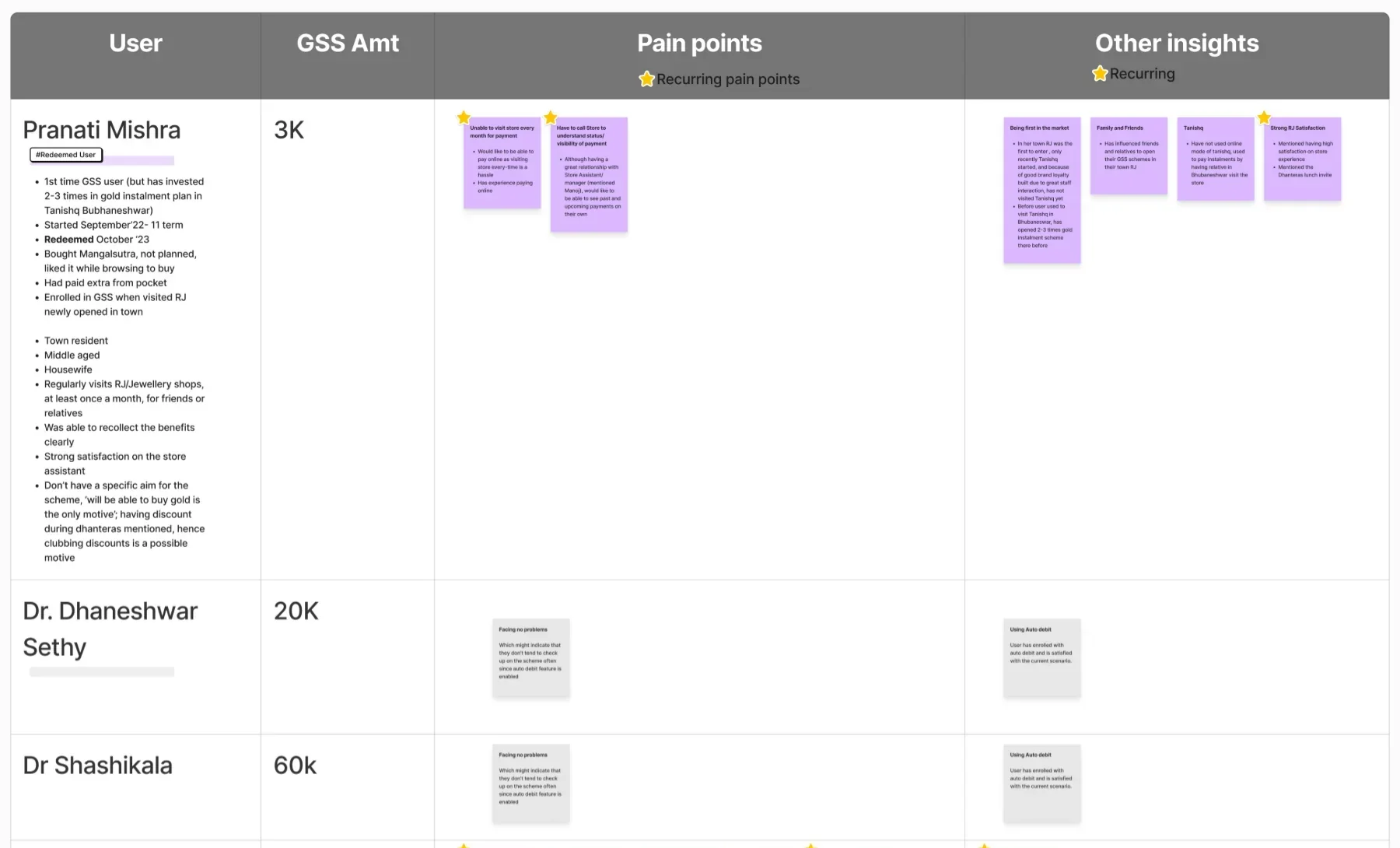

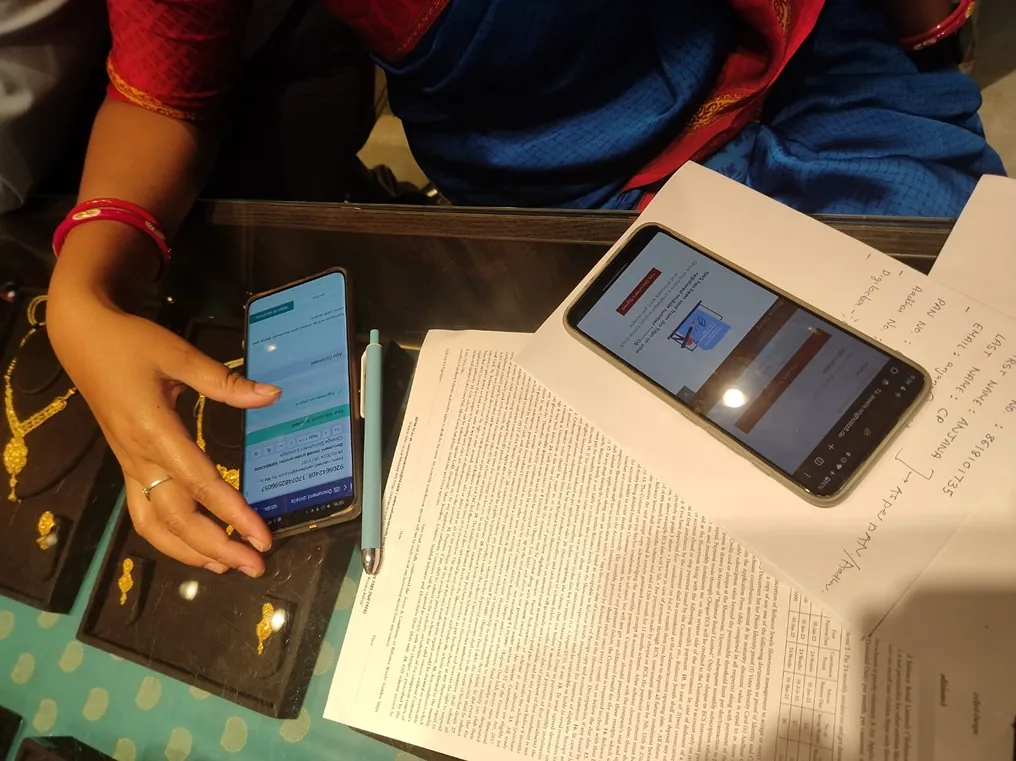
What we learnt: GSS has earned users’ trust as a savings relationship, but the product makes that relationship difficult to manage independently.
1. Control my savings
- Pay without visiting the store
- Use flexible payment options
- Understand my balance and progress
- Know my next payment
2. Know where my money stands
- Get instant payment confirmation
- See payment history
- Understand scheme status
- Know my benefits
3. Help me stay on track
- Get timely reminders
- Know what to do next
- Feel confident that my savings are being managed correctly
How might we: give users greater control and confidence over their GSS journey, without taking away the trust and support they get from the store?
Design Principles
Self-serve first
Enable users to manage their scheme independently.
Clarity & confidence
Make money movement visible and easy to trust.
Proactive & helpful
Remind, guide and help users stay on track.
Flexible & inclusive
Support different payment behaviours and comfort levels.
Competitive Research
We benchmarked Golden Steps against Tanishq, Bluestone, Joyalukkas, CaratLane and other gold savings experiences.
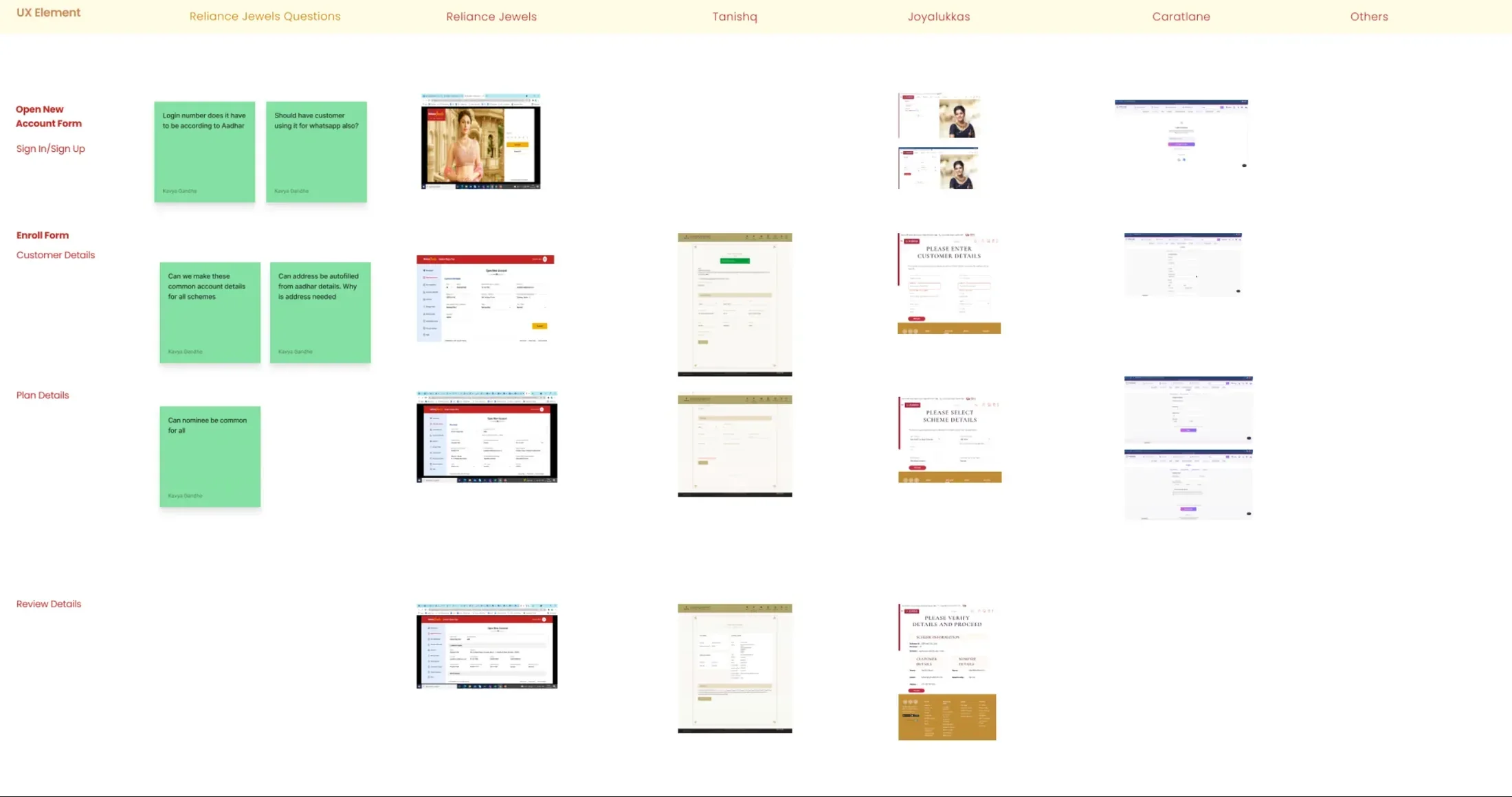
Key Takeaway: The opportunity wasn’t to simply redesign the Golden Steps pages. It was to connect discovery, enrolment, payment and tracking into one coherent digital experience.
Ideation
I combined our research findings to derive the information architecture that solves our design principles.
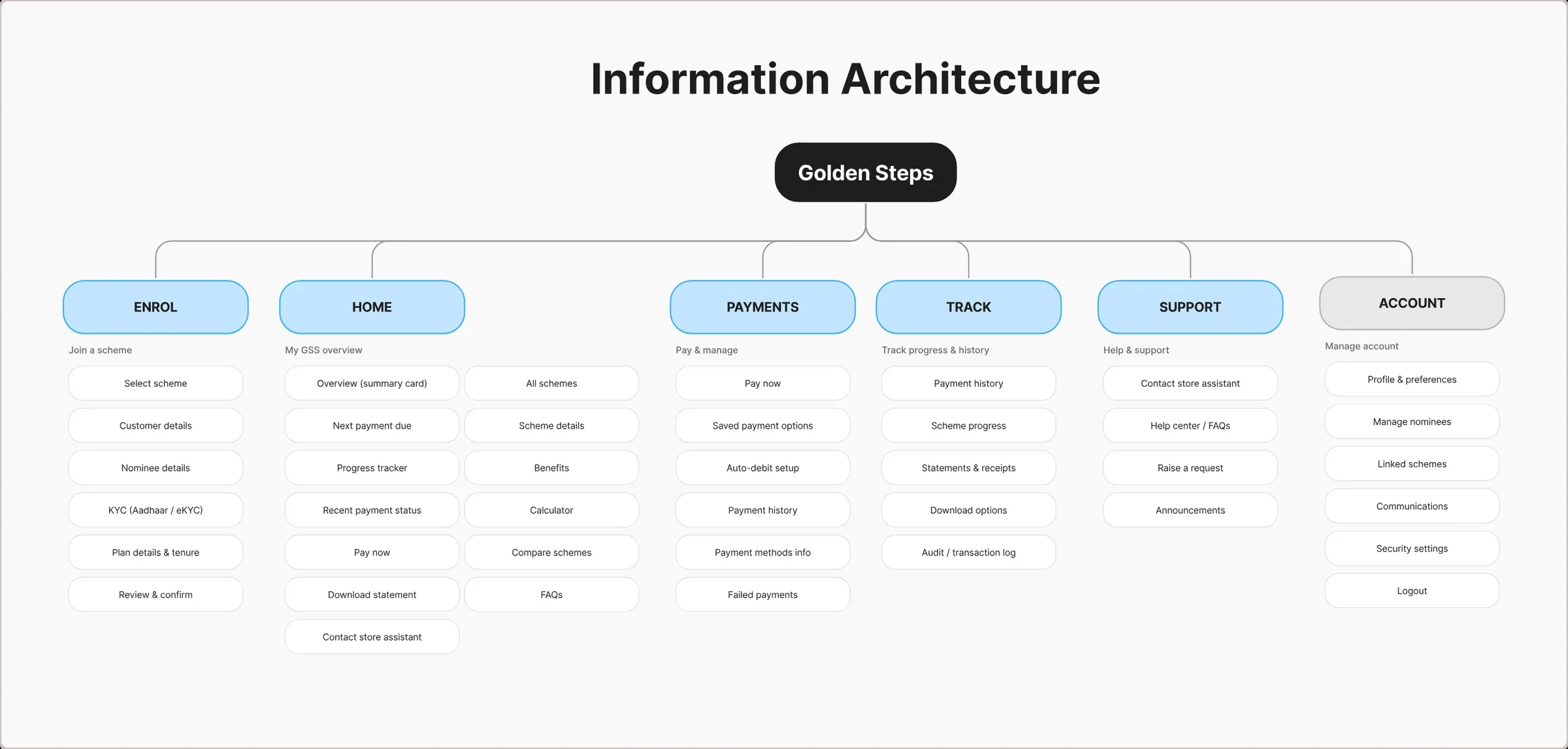
In the research we got to know that the process is very backend-enforced for onboarding. So our goal here was to overcome the objections by using design thinking to simplify steps and minimise the friction.
First Launch

The store manager’s pitch, cut down to one screen. One promise, one entry price, one button.
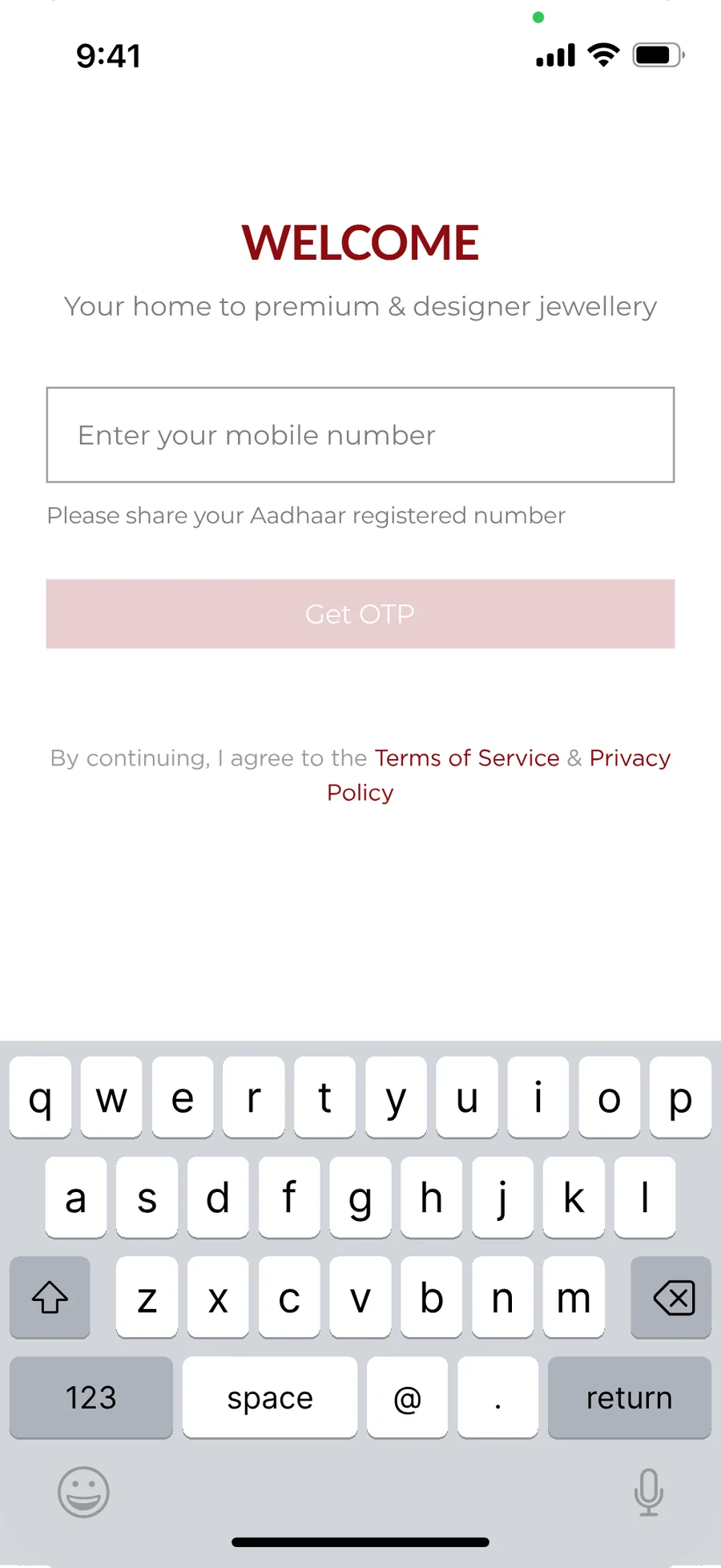
The Aadhaar registered number is asked for first. The identity check three steps later fails without it.
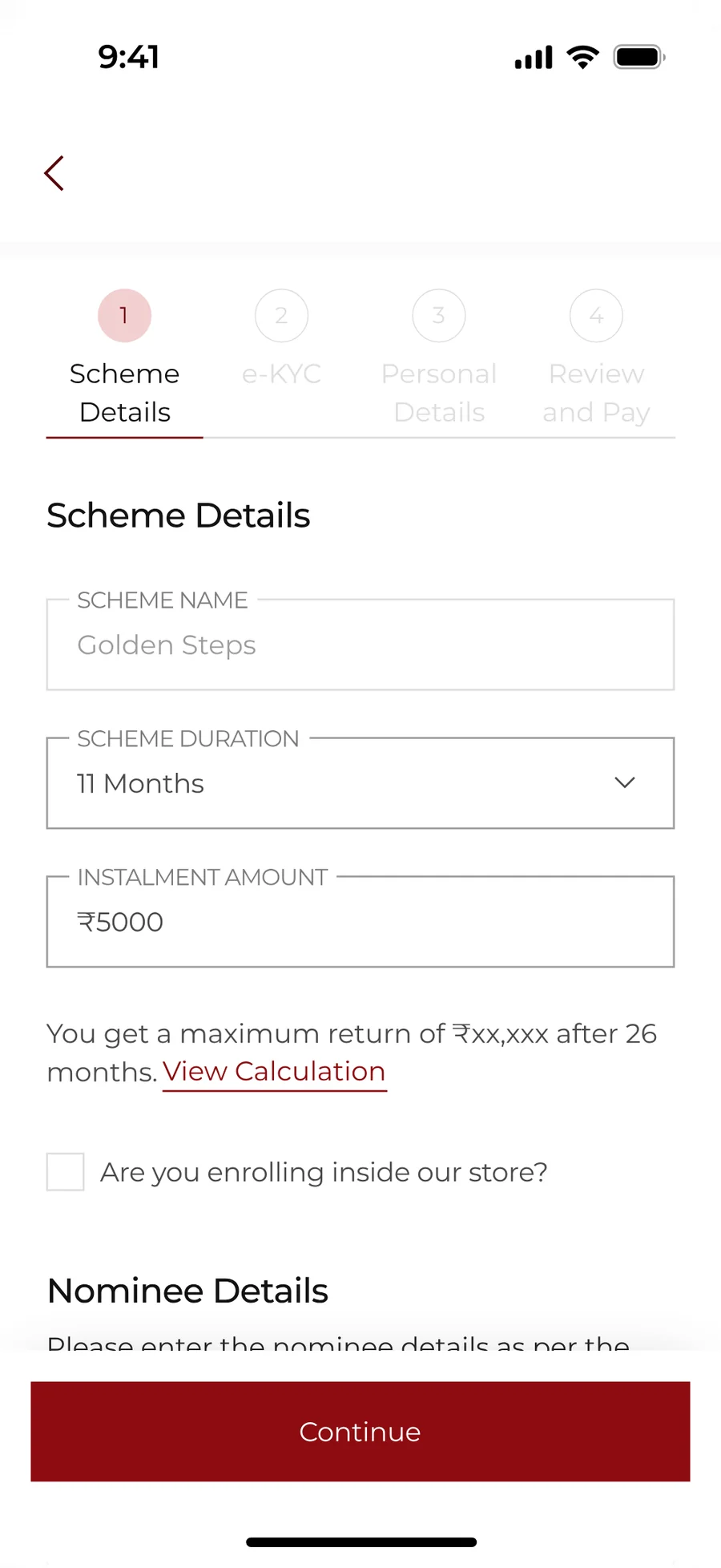
The backend rules did not move, so the design work was the shape around them. Four named steps, so nobody meets one long form.
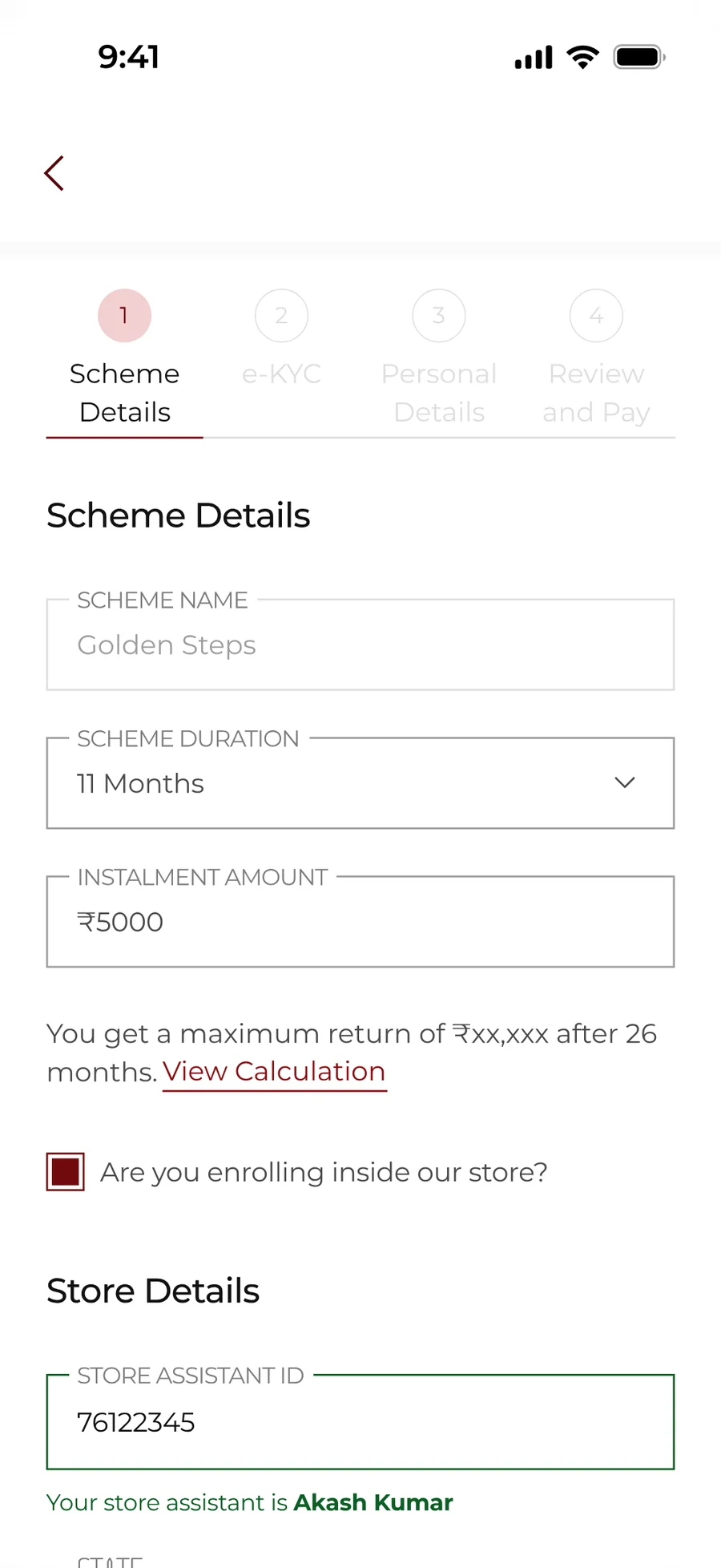
A customer enrolling at the counter ticks a box and the assistant’s ID travels with them. The store keeps its credit.
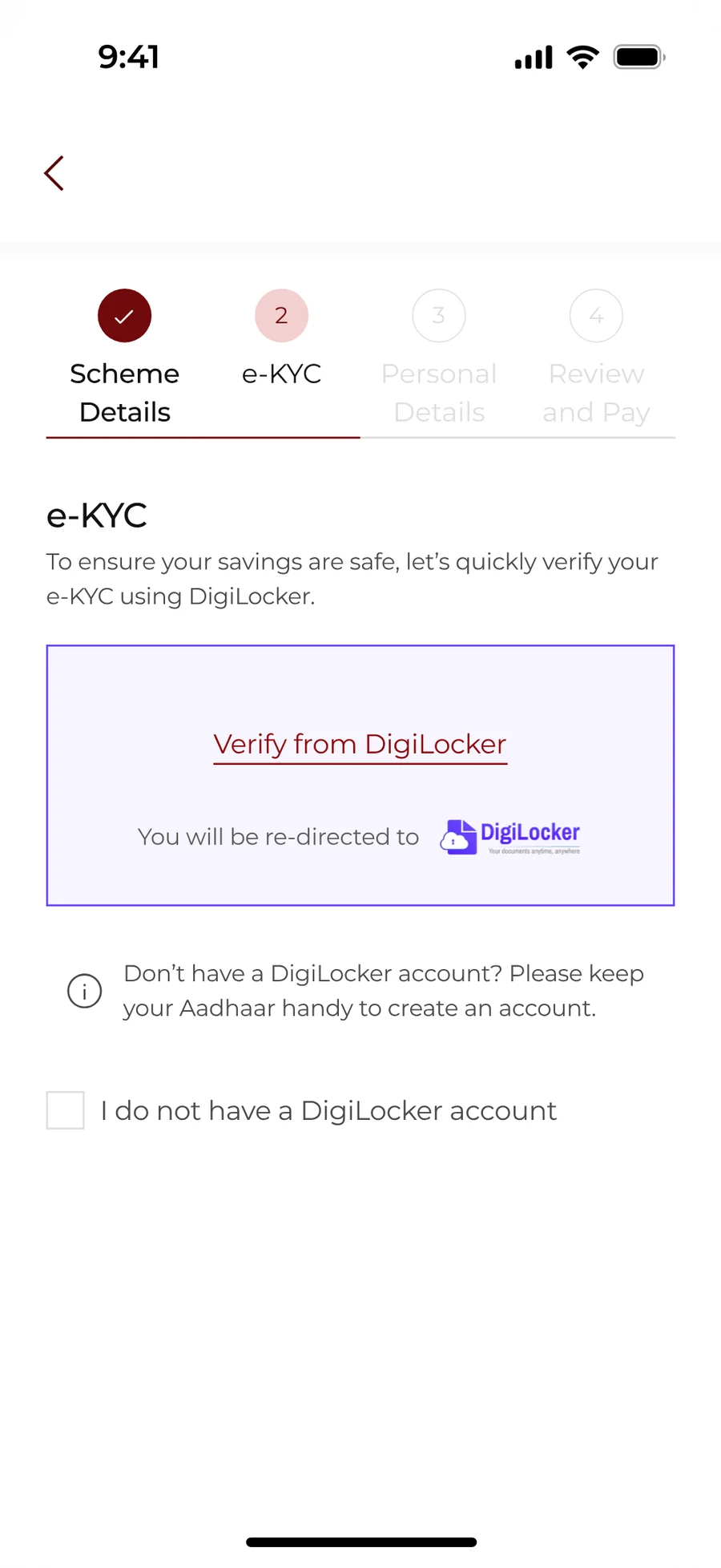
Identity has to come from a government ID. DigiLocker is named, and so is the fact that the app is about to hand you over.
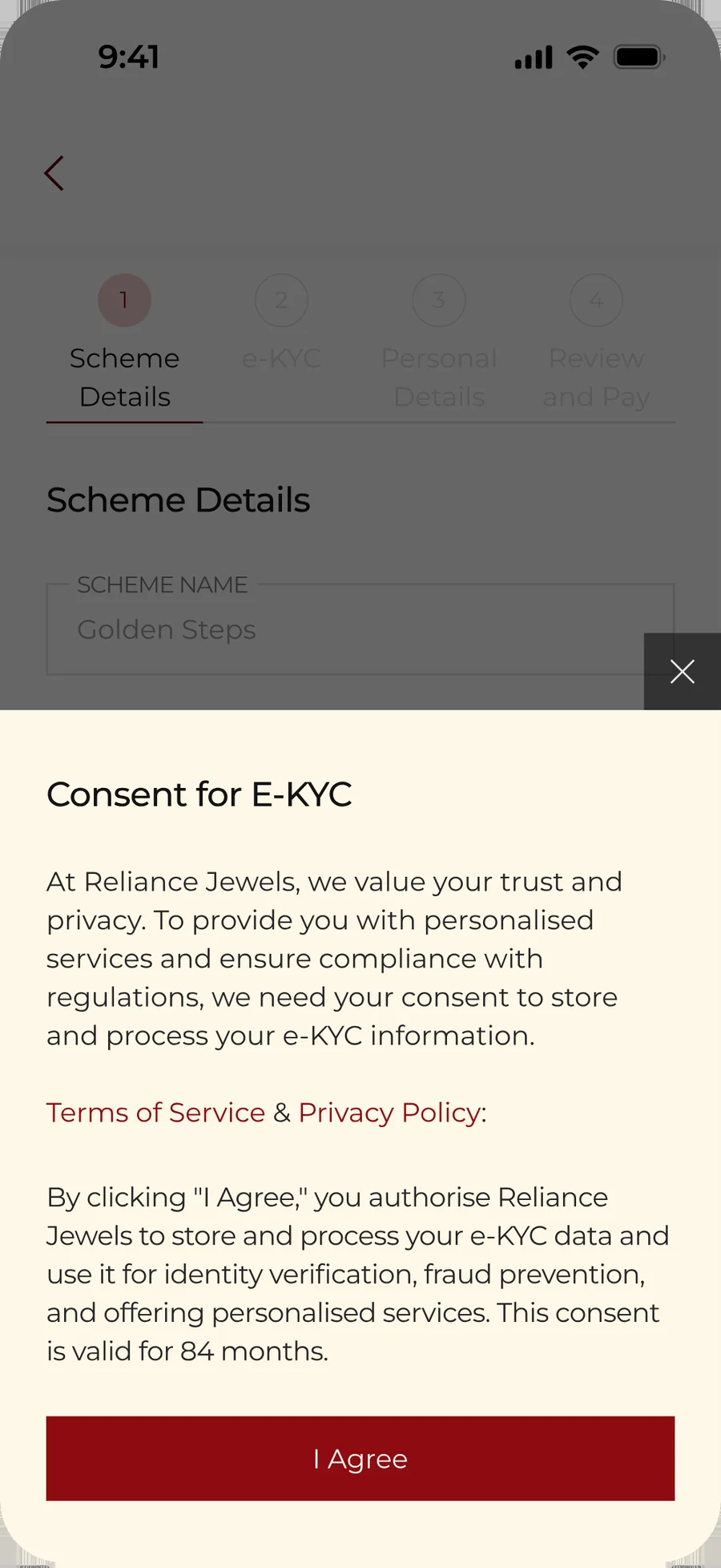
Legal needed a consent gate. It says what is stored and for how long, instead of pointing at a policy page.
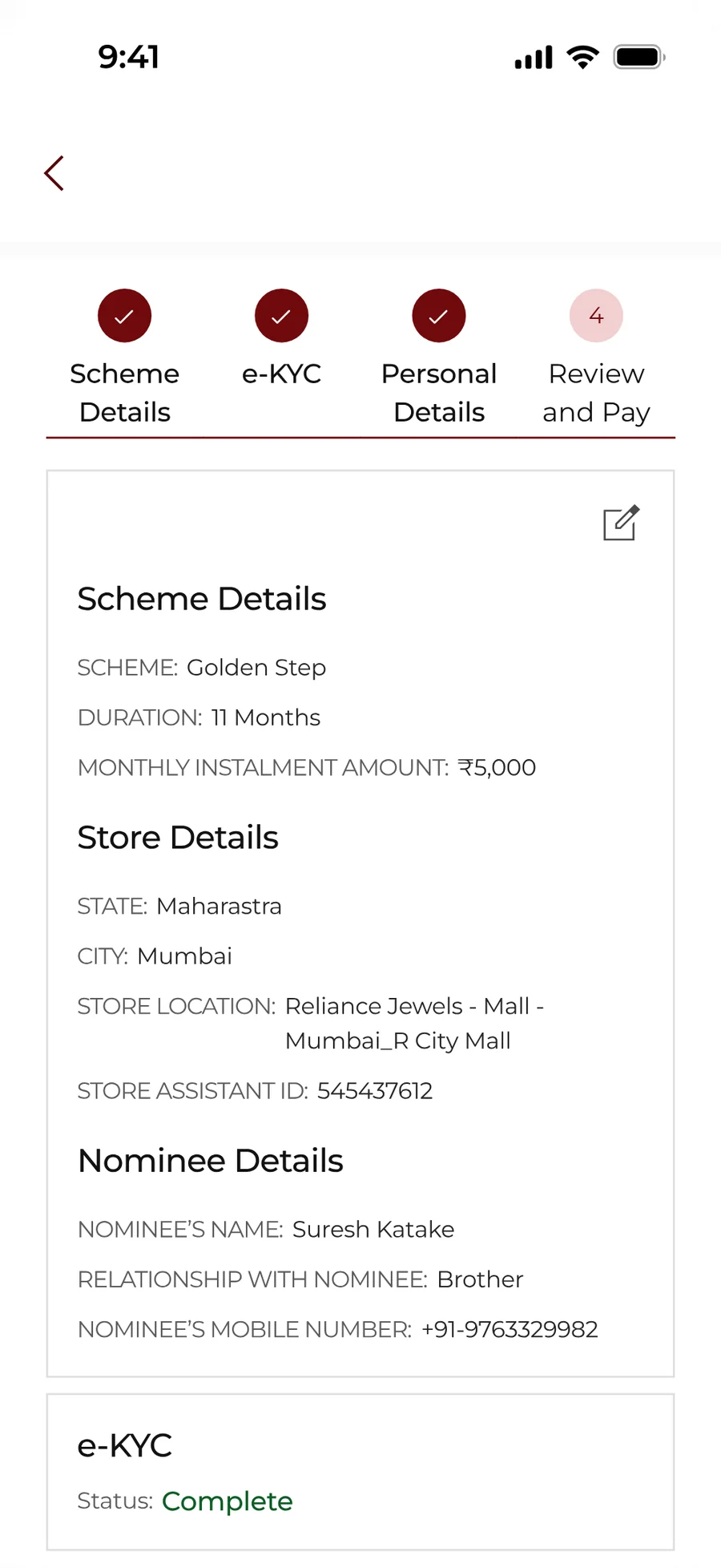
Everything typed so far, read back before any money moves.
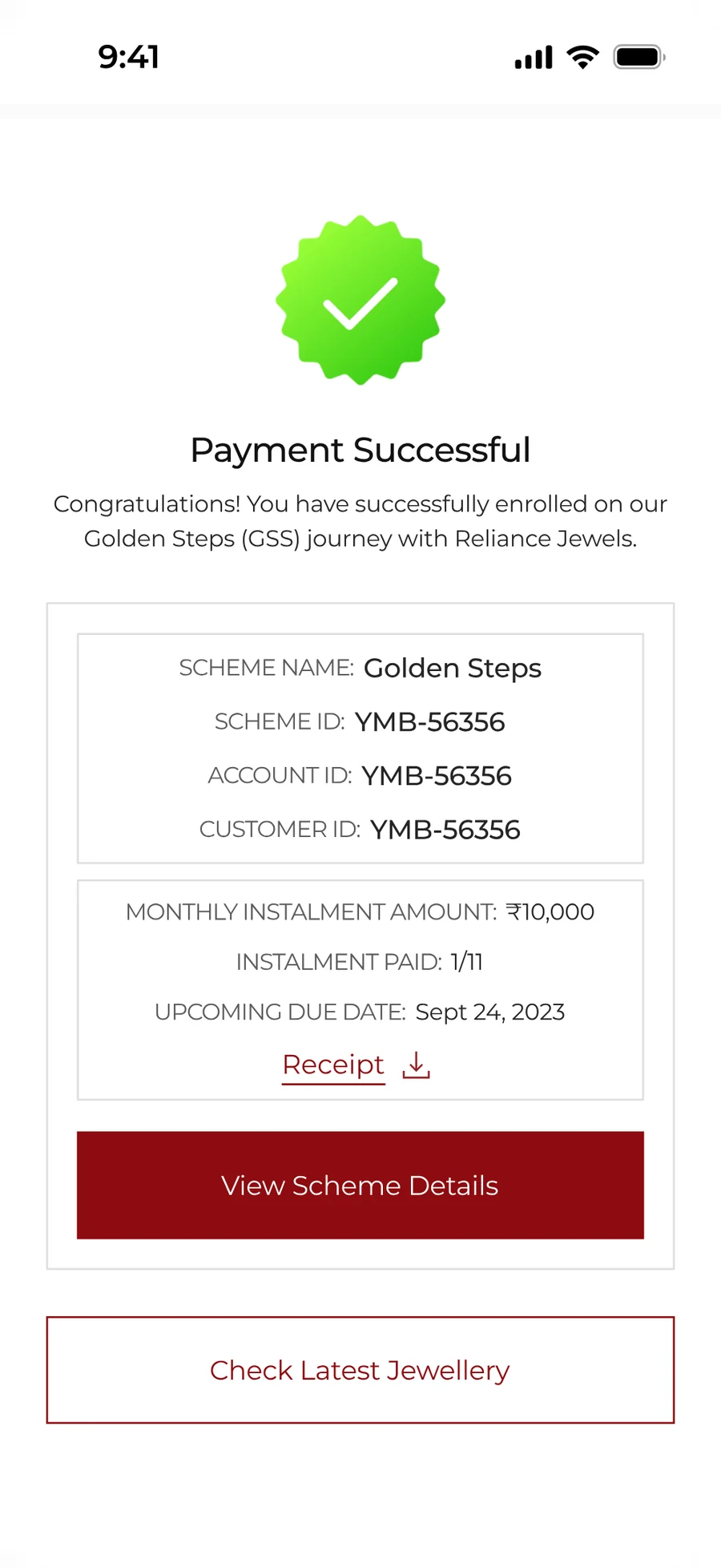
The receipt the cashier used to hand over. Scheme ID, instalment paid, the date due next.
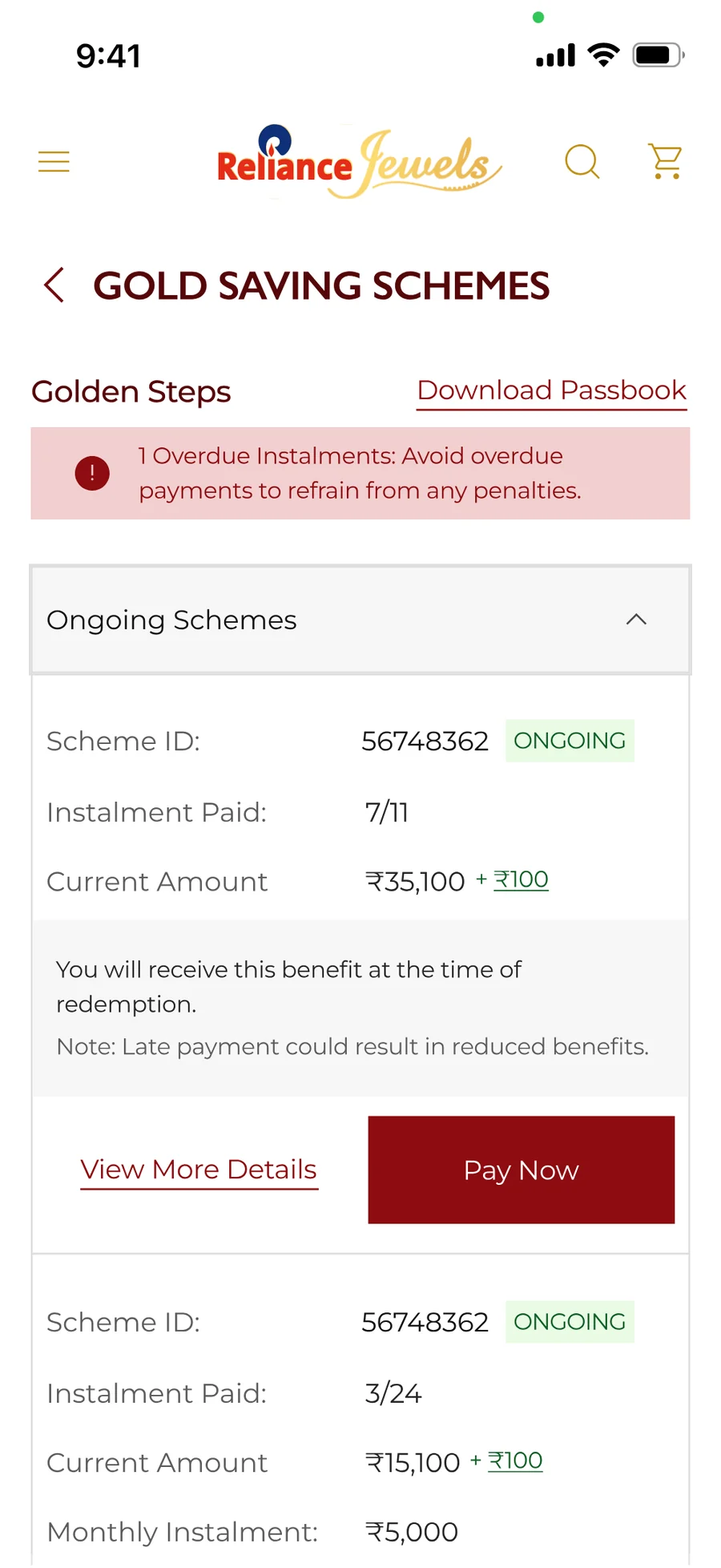
The scheme has a life after enrolment. An overdue instalment leads the page, because that was the call the store used to make.
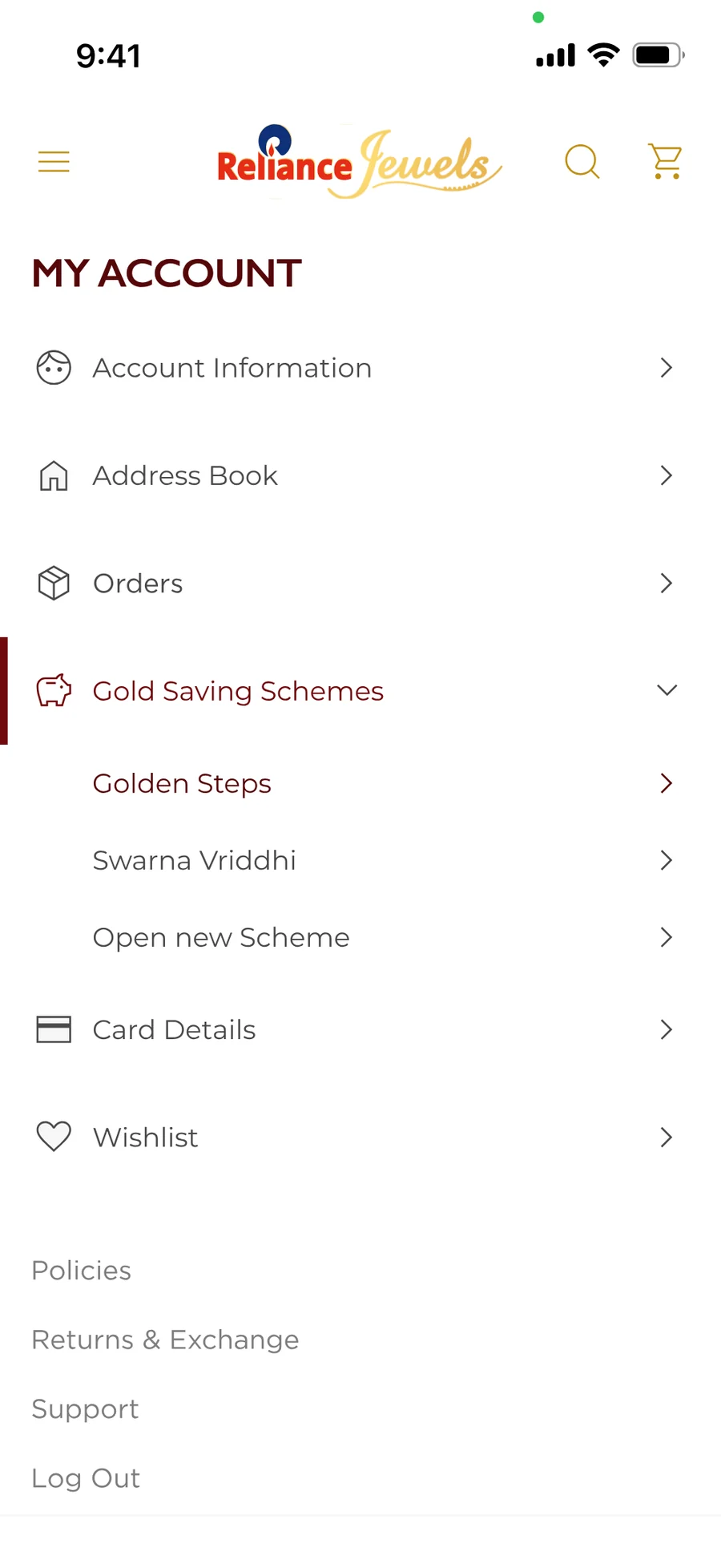
Golden Steps sits beside the other schemes a customer may already hold, not in a corner of its own.
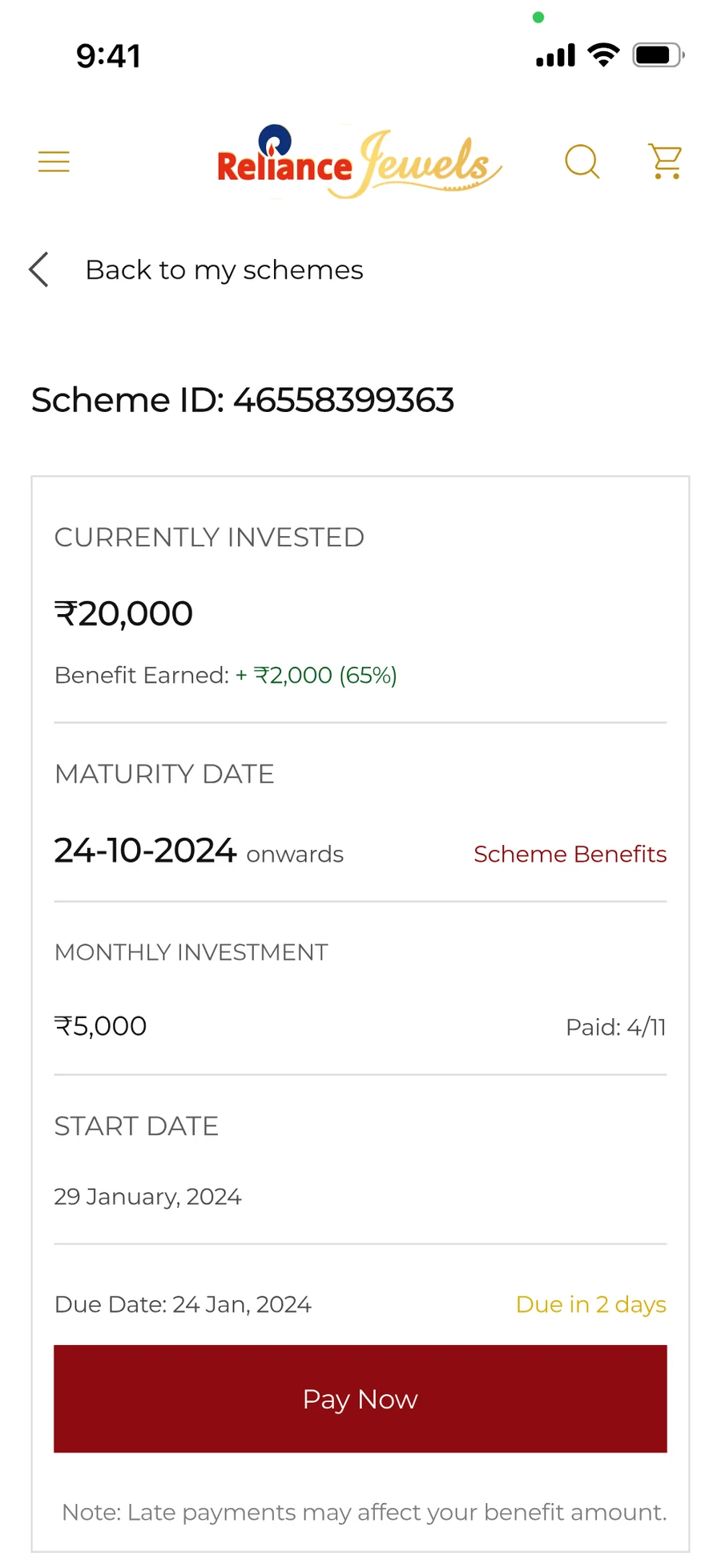
What is in, what it has earned, what is due next. The three numbers store staff were reading out over the counter.
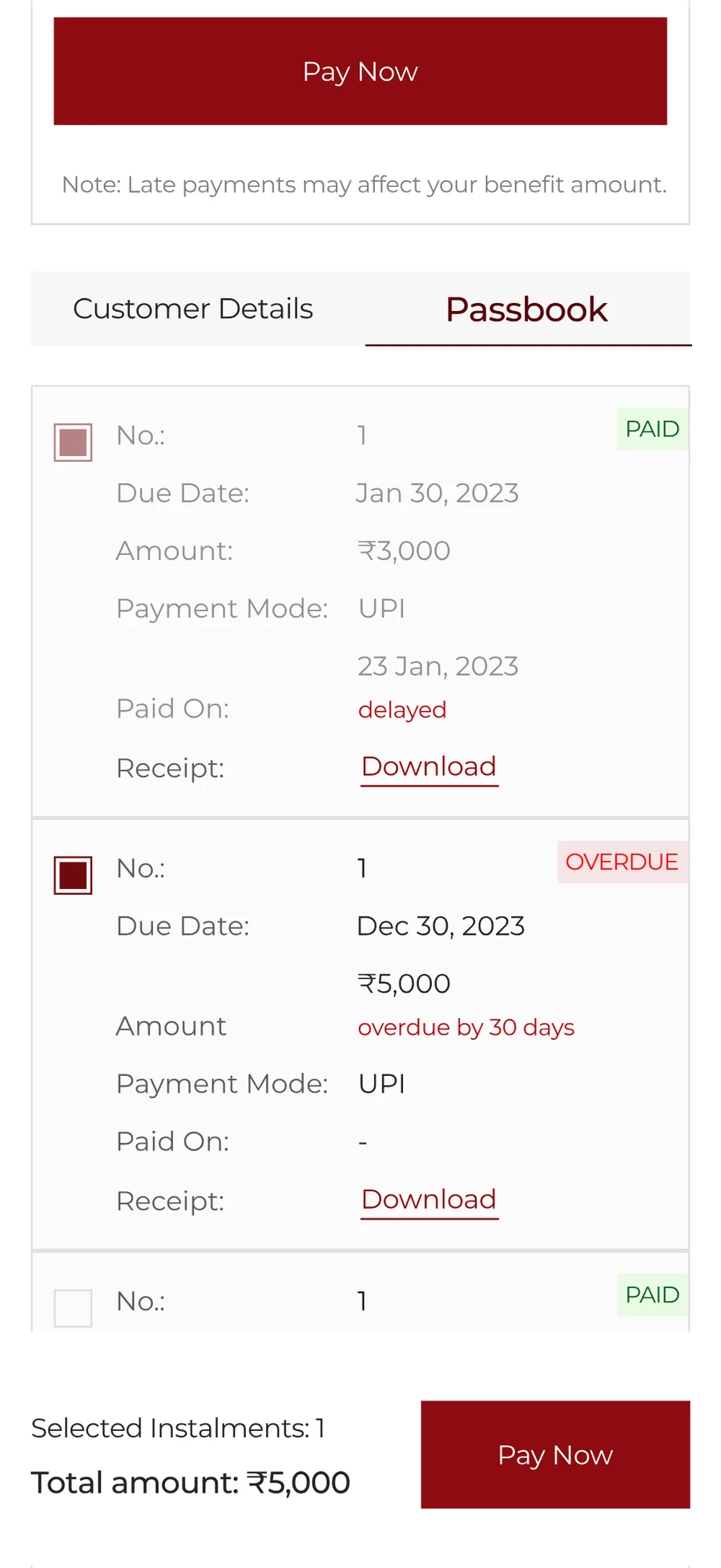
Every instalment with its mode and its receipt. Confidence follows the paper trail.
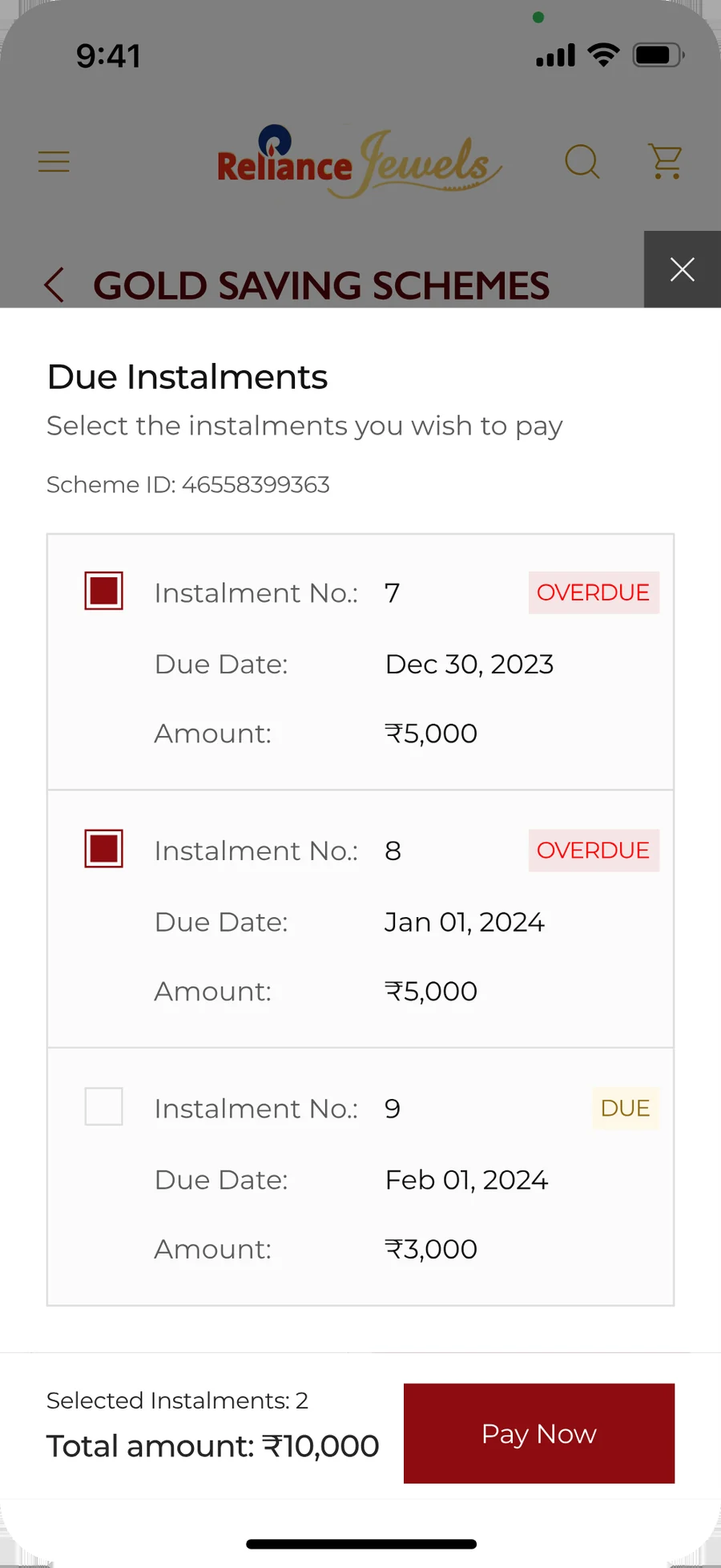
Instalments are selectable rather than fixed, so someone behind on two can clear both in one payment.
Testing
The first launch solved the offline problem. But it exposed new ones.
After the first version went live, we combined usability testing and Google Analytics to understand where the experience could improve.
Four issues stood out:
1. The experience felt more like an investment product
But customers were not only saving money. They were saving to buy jewellery.
2. The proposition was confusing
Users struggled to understand the scheme, its benefits and what they would get at maturity.
3. Redirects and OTPs affected trust
It increased the time needed and created doubts around where the user was being sent and whether the process was safe.
4. The UI felt flat
The design system was functional but lacked the emotion expected from a jewellery experience.
Final Iteration
From saving money to owning gold.
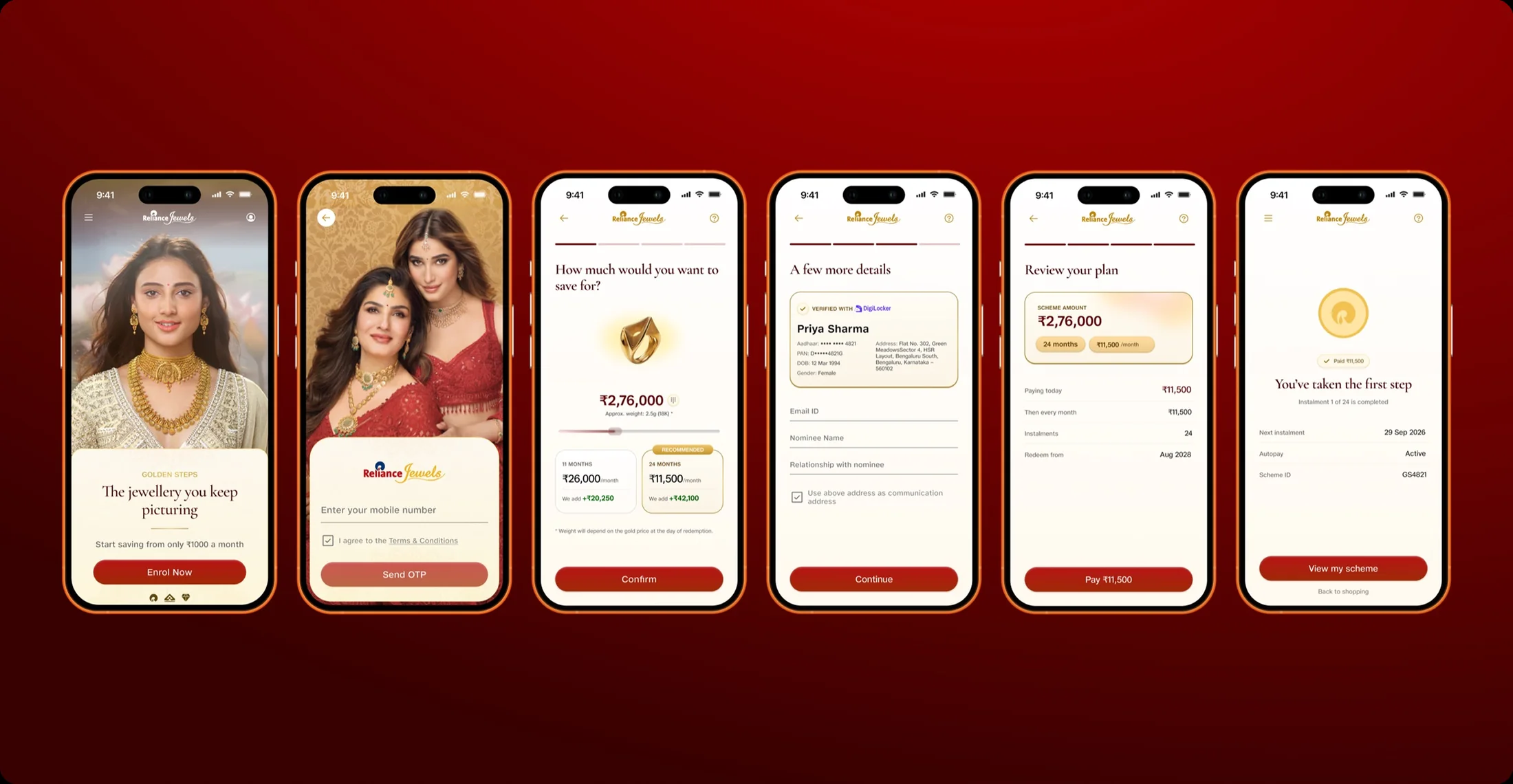
Based on the research and testing, I reworked the UI to make the experience more engaging and intuitive, while bringing the focus back to owning gold jewellery.

Testing said the first version read as an investment product. So the jewellery leads and the scheme sits under it.

The same two fields as before, in a warmer frame. The photograph carries the promise while the form does its job.

The plan stopped being a duration field and an amount field. It is a piece of jewellery with a price, and each term shows what the brand adds.
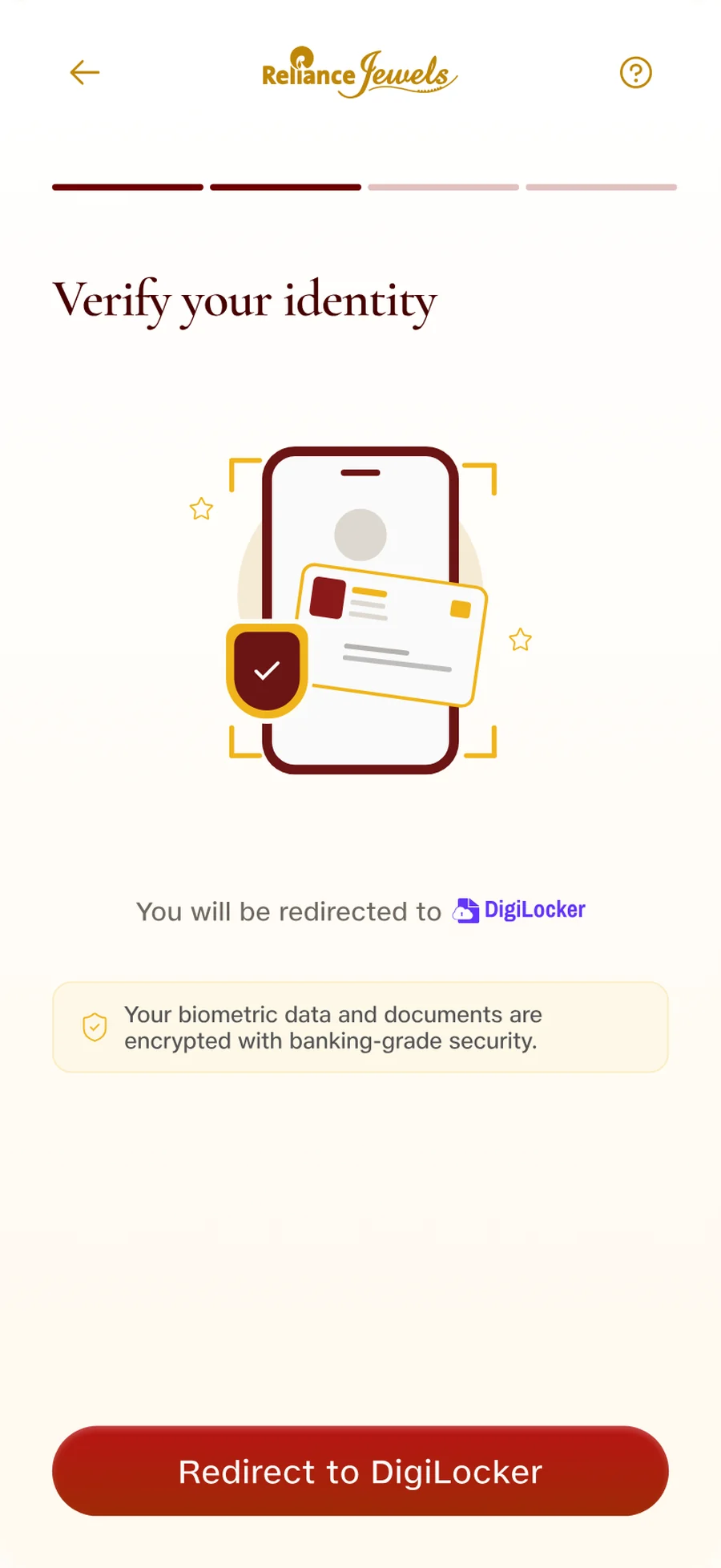
DigiLocker is named before the redirect, and the screen says what happens to the documents. A handoff announced, not sprung.
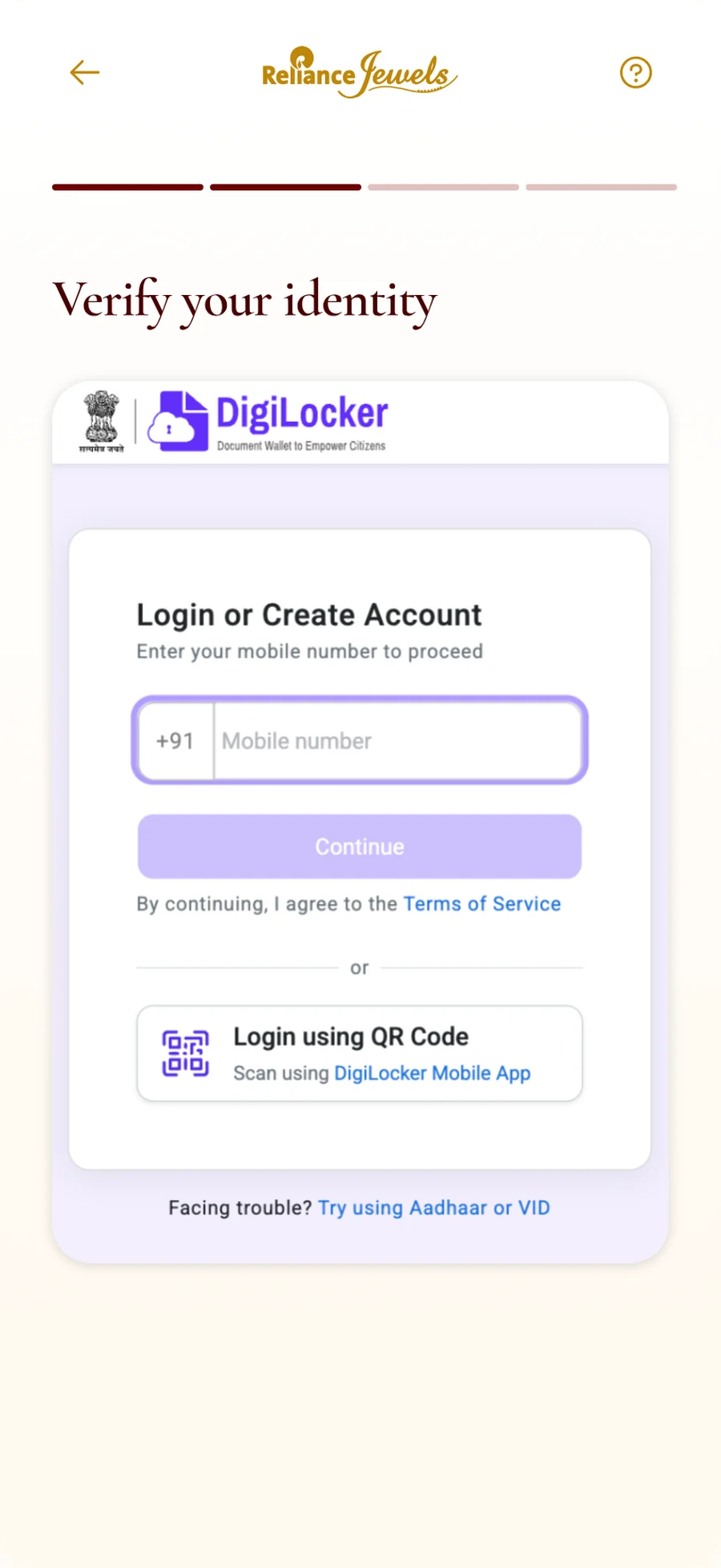
The screen the customer lands on. None of it is ours, which is exactly why the step before it has to do the preparing.
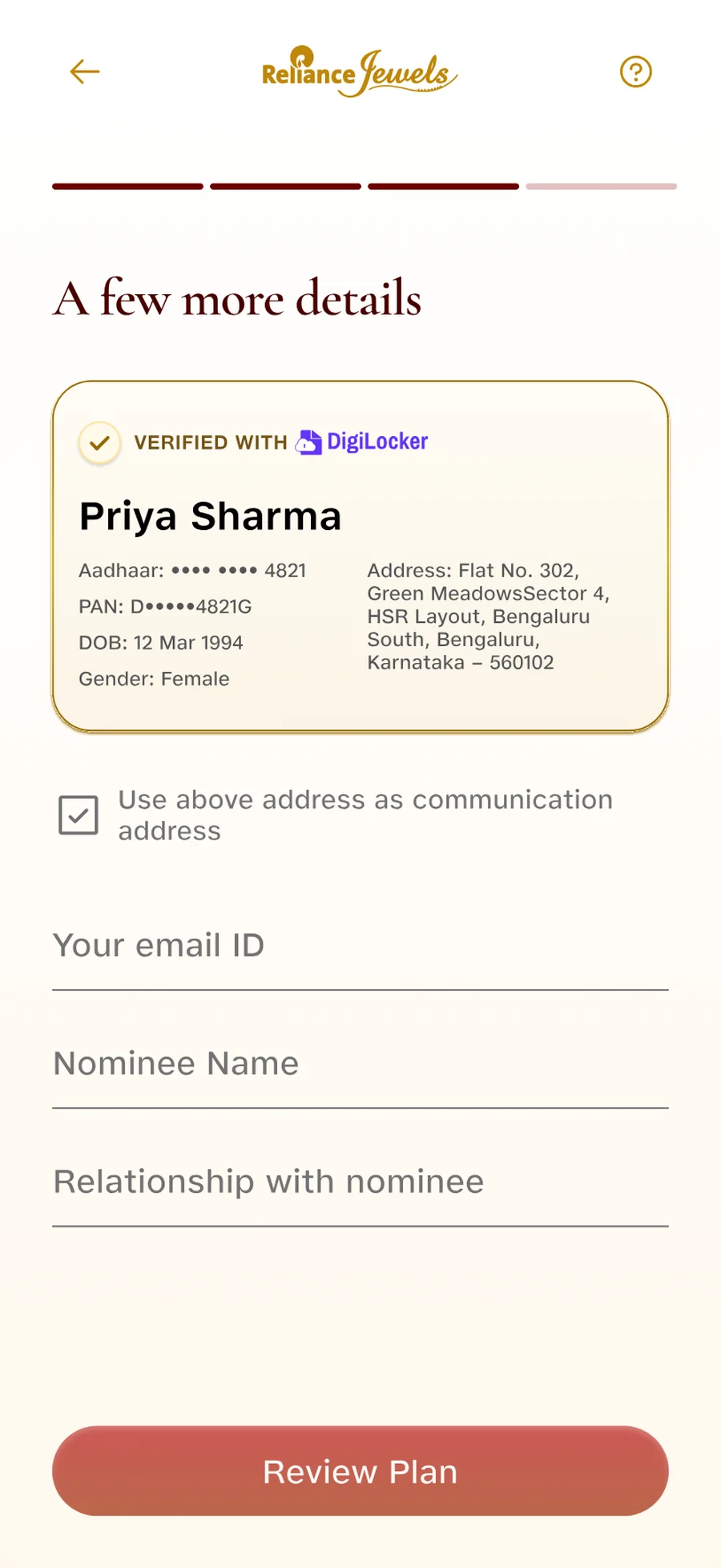
Verified fields arrive filled in. A customer only types what DigiLocker cannot hand over.
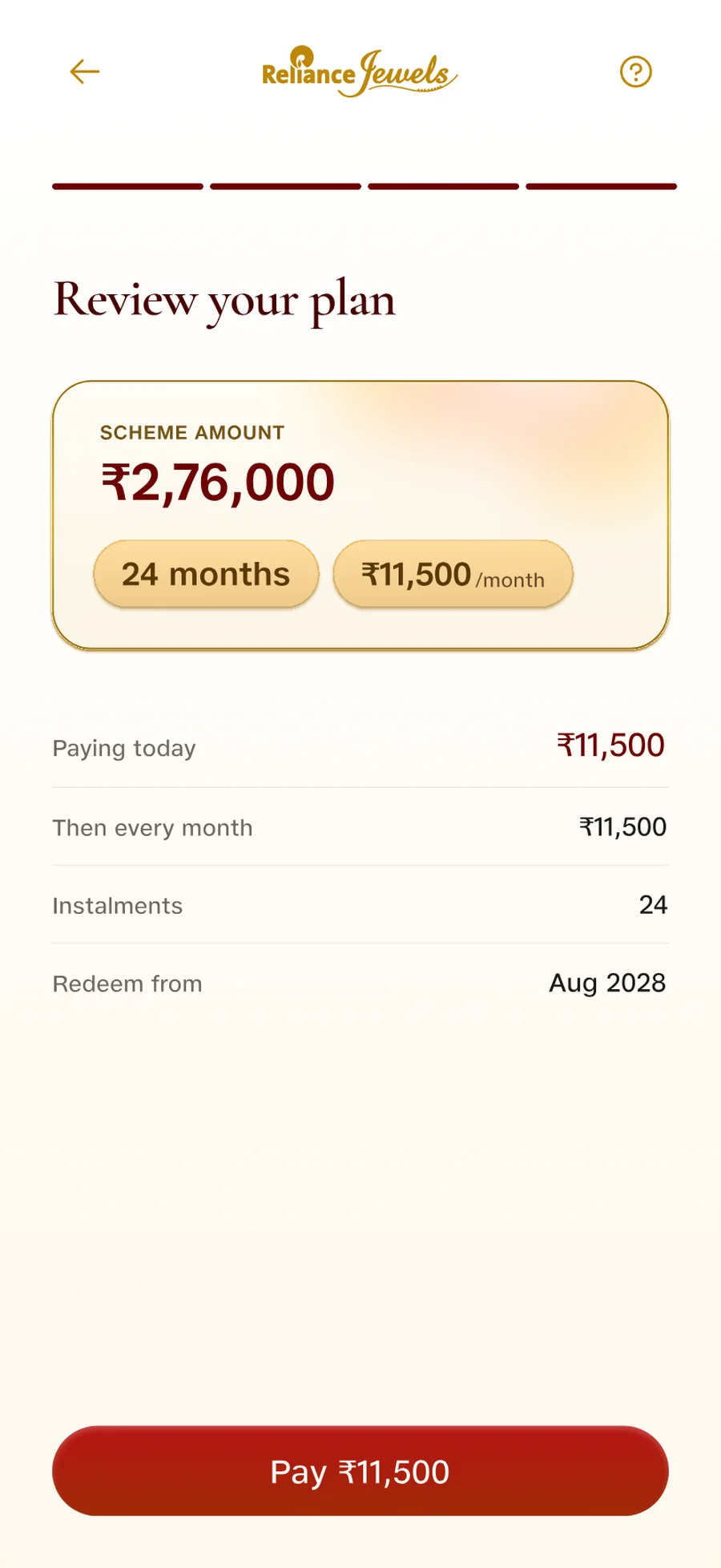
The whole commitment on one screen. What is paid today, what is paid monthly, and when it can be redeemed.
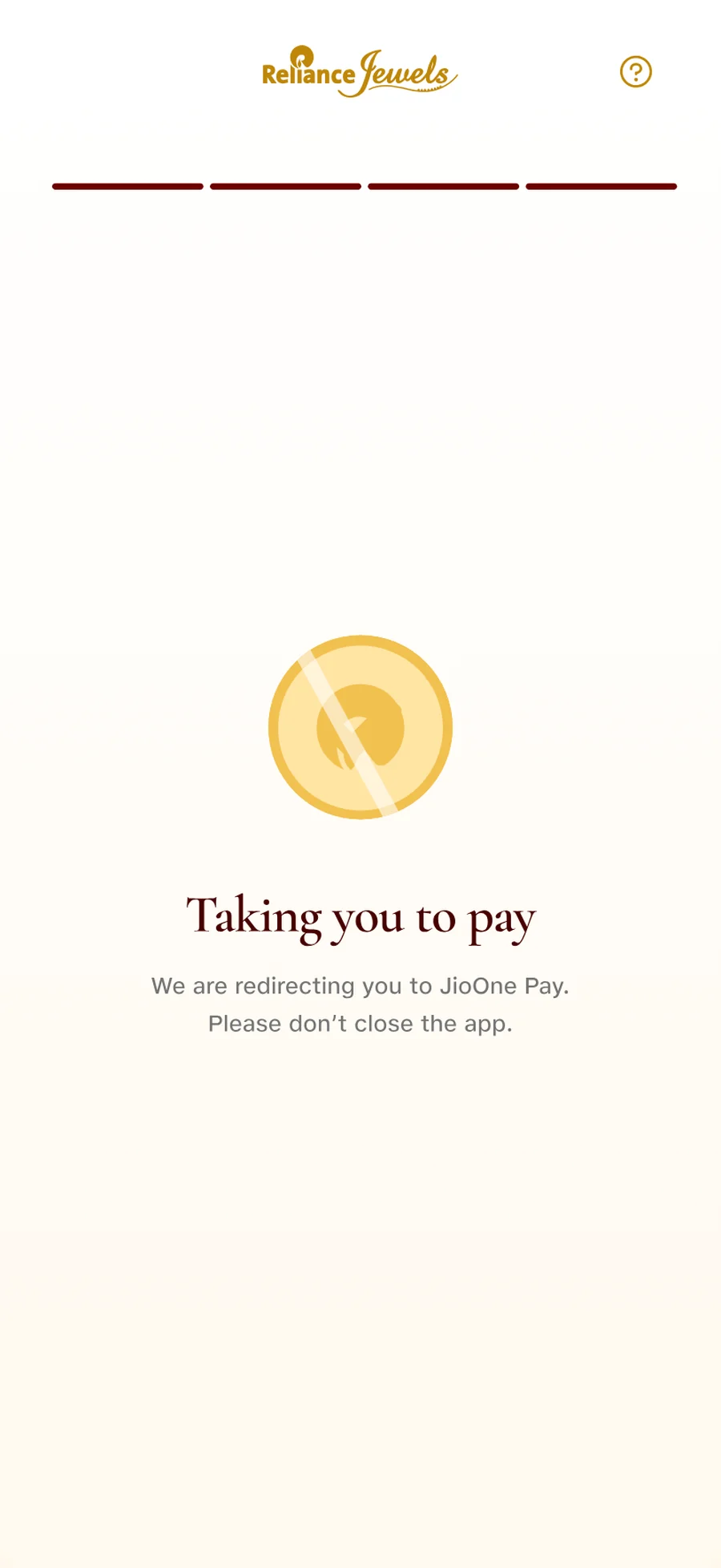
The payment handoff gets the same treatment as the identity one. Named, explained and told not to close the app.
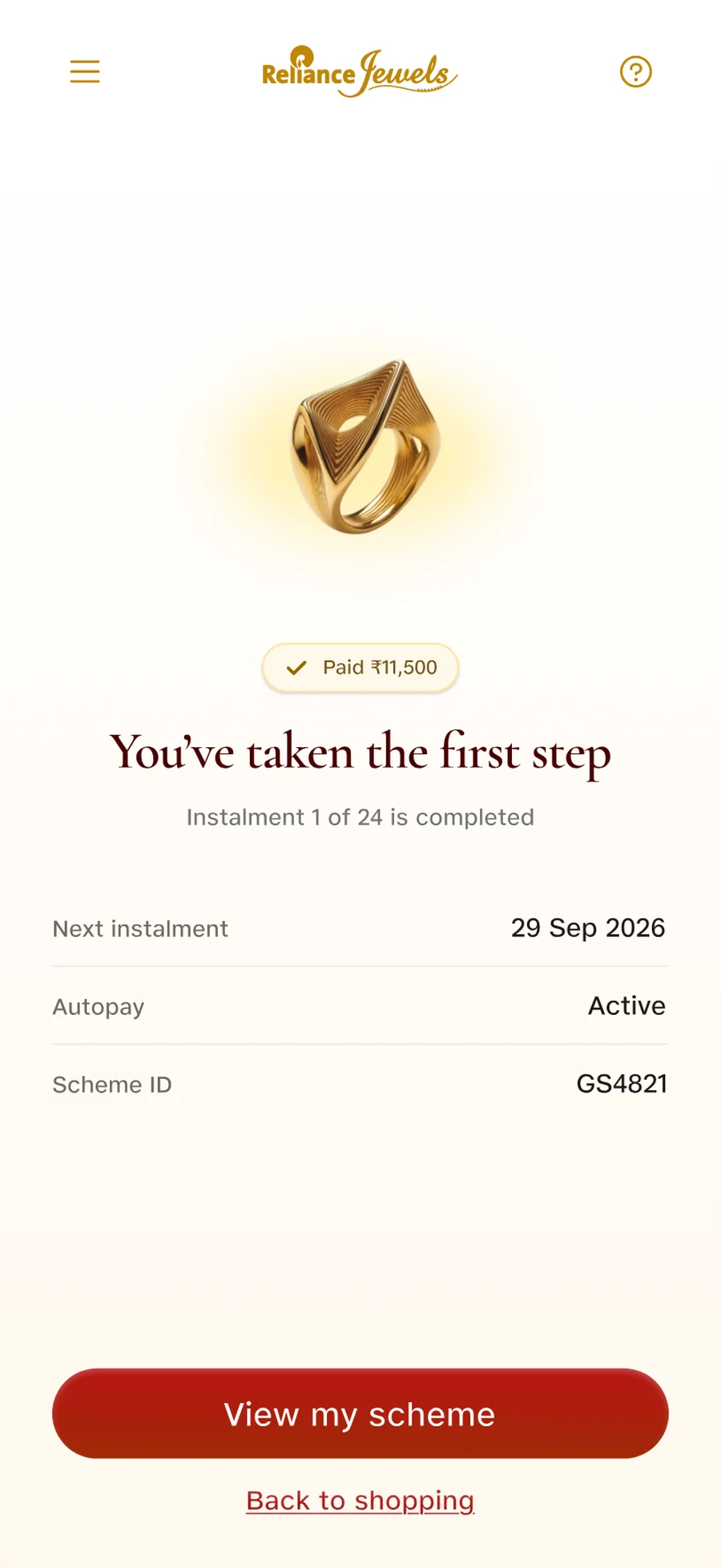
The next instalment date, the autopay status and the scheme ID together. The store assistant’s reassurance, turned into a screen.
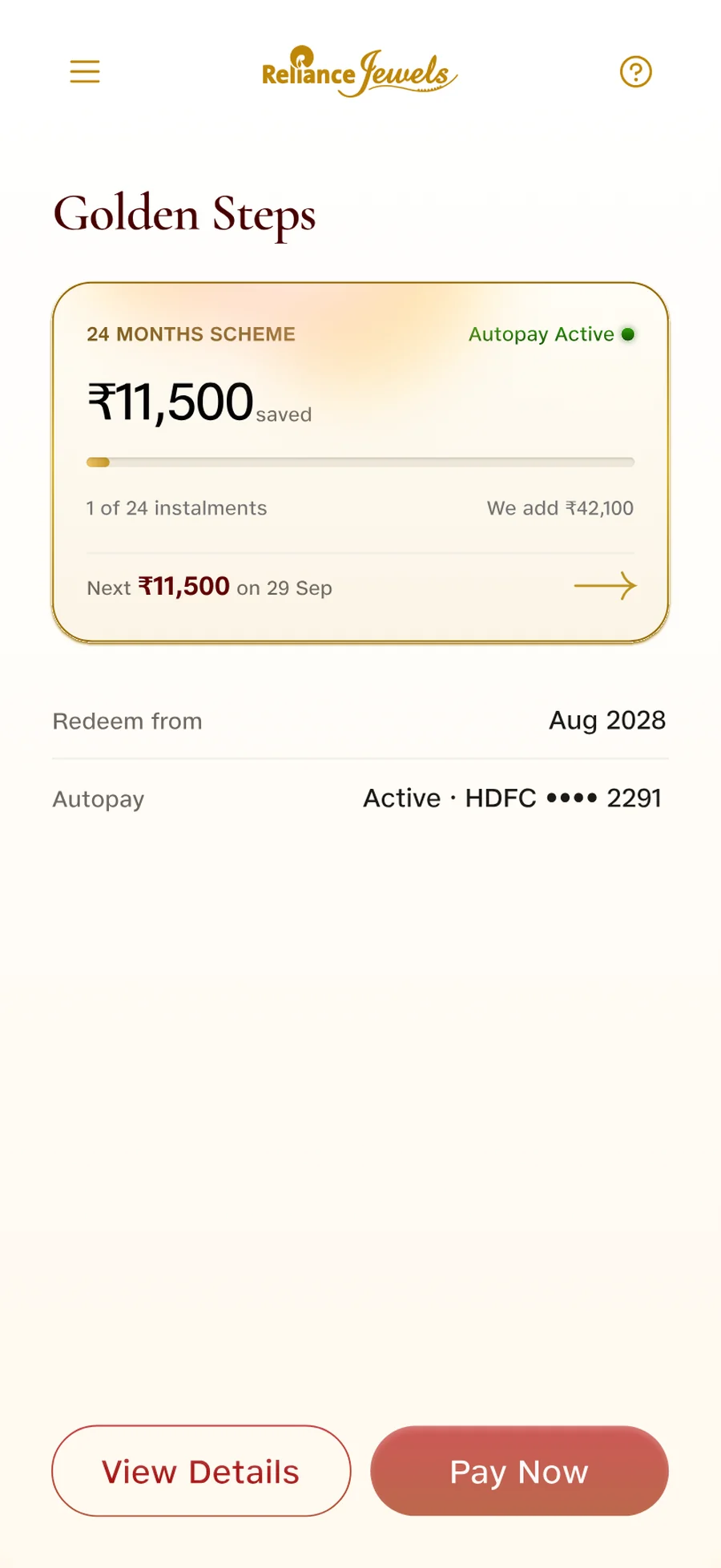
Progress and payment in one place, so nobody has to walk into a store to ask where their money stands.
Learning
Design is more than digitising a process
Putting an offline form online would not solve the deeper problems. We had to rethink the complete customer journey.
Business constraints shape design
The backend had several fixed rules. Instead of treating them as blockers, we focused on reducing the friction they created for customers.
Trust is part of the experience
For a savings product, payment confirmation, visibility and support are not small UX details. They are key parts of the product.
Launch is not the end
The first version solved the offline problem, but testing showed that we had created a new positioning problem.